ChurchDesk
Adaptive Data Table Framework
As the product grew, inconsistent approaches to filters, tabs, and page layouts led to a fragmented user experience and mounting technical debt. With no shared components in place, behaviors varied widely across pages. This project aimed to streamline the system by unifying filter logic and standardizing data table layouts across the platform.
My Role
2 Designers, 1 Developer
Scope
Data Table System
Challenge
Challenge
The lack of a standardized system caused friction for both users and the tech team.
• Inconsistent filters and layouts
• Unpredictable user experience
• No shared components
• Duplicated developer effort
• Growing technical debt
Goals/ Solution
Introduce a unified system for data table pages and filters that addressed both UX and engineering needs:
• Design reusable components for filters, tabs, and layouts
• Define consistent interaction patterns across all tables
• Collaborate with engineering to ensure scalable implementation
• Document a flexible system to support future use cases
Process
Audit
I reviewed all the existing data tables in the platform and documented patterns, behaviors, and inconsistencies.
Pattern Research
I studied external examples of other SaaS platforms to identify best practices for filters and table layouts.
Define
We aligned on core use cases, filtering priorities, and needs across teams.
Design
We designed modular UI components adaptable to various scenarios and edge cases, with consistent interaction patterns across the interface.
Validate
We shared design with product and engineering teams to gather feedback, make improvements, and ensure the designs could be built smoothly.
Document
We provided clear guidelines for all teams, covering modular UI components adaptable to various scenarios and edge cases, with consistent interaction patterns across the interface, ensuring seamless system-wide adoption.
Result
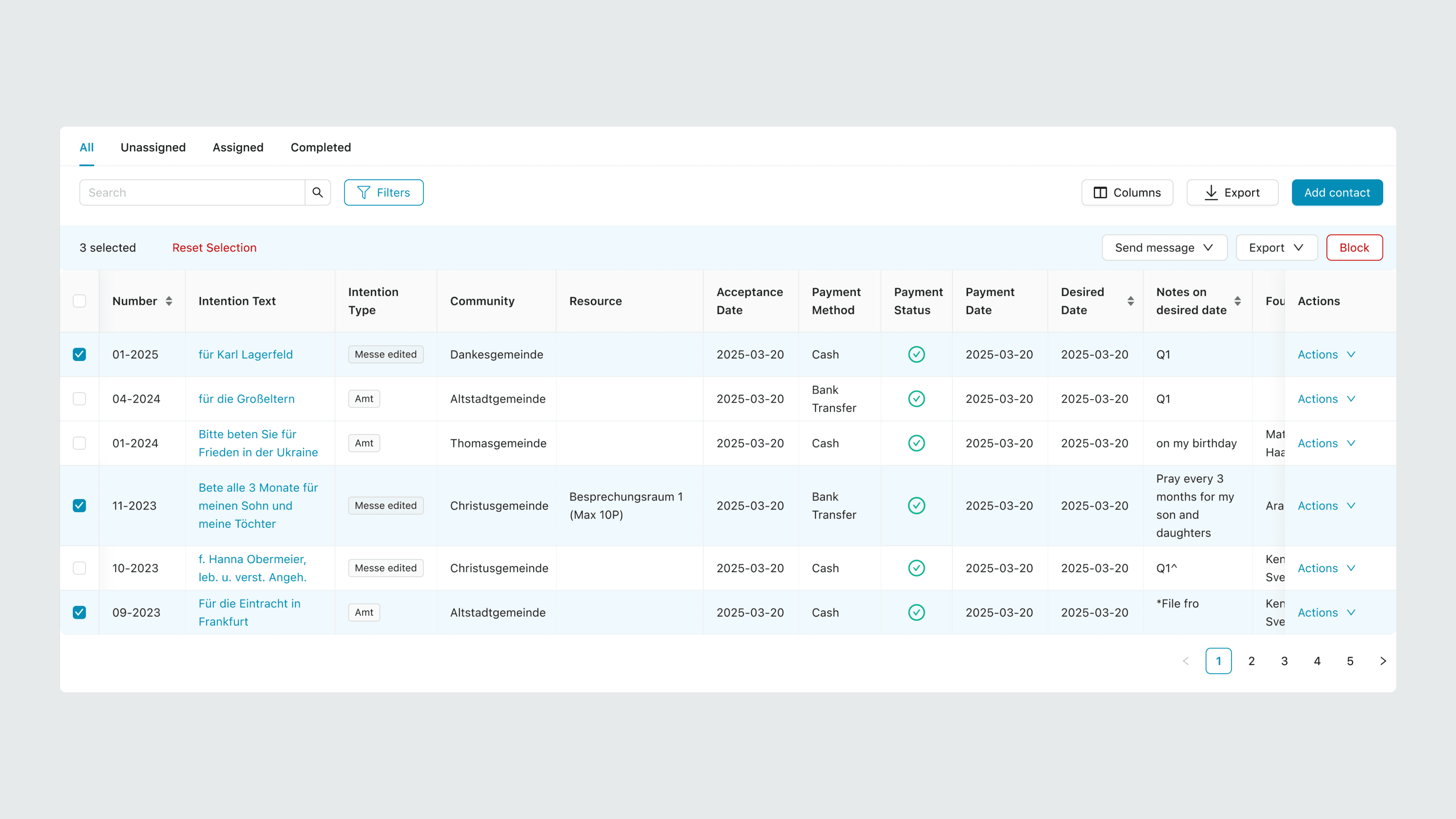
To address the issue, we created a unified page layout for all 30+ data tables in the platform with a set behavior.
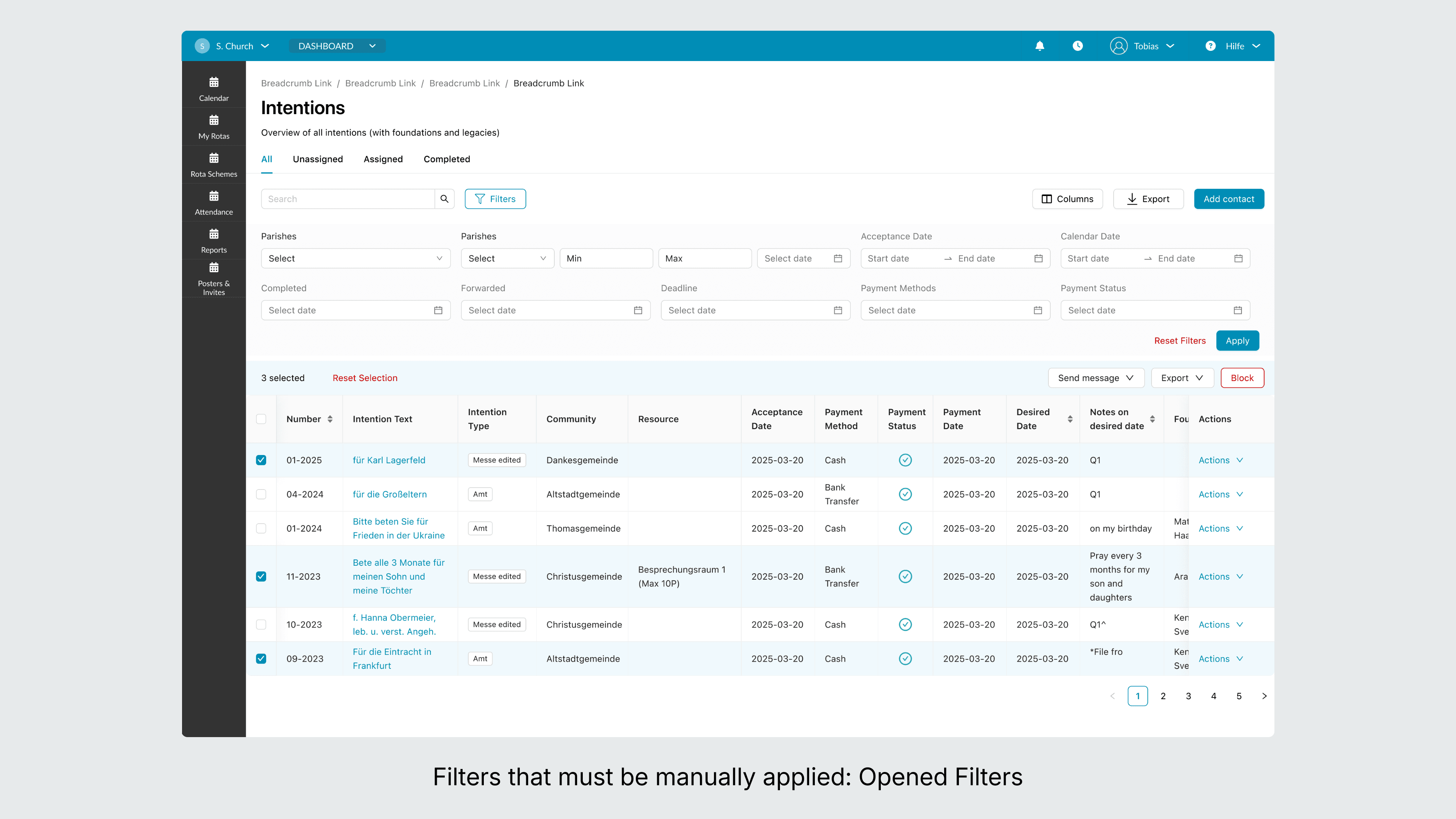
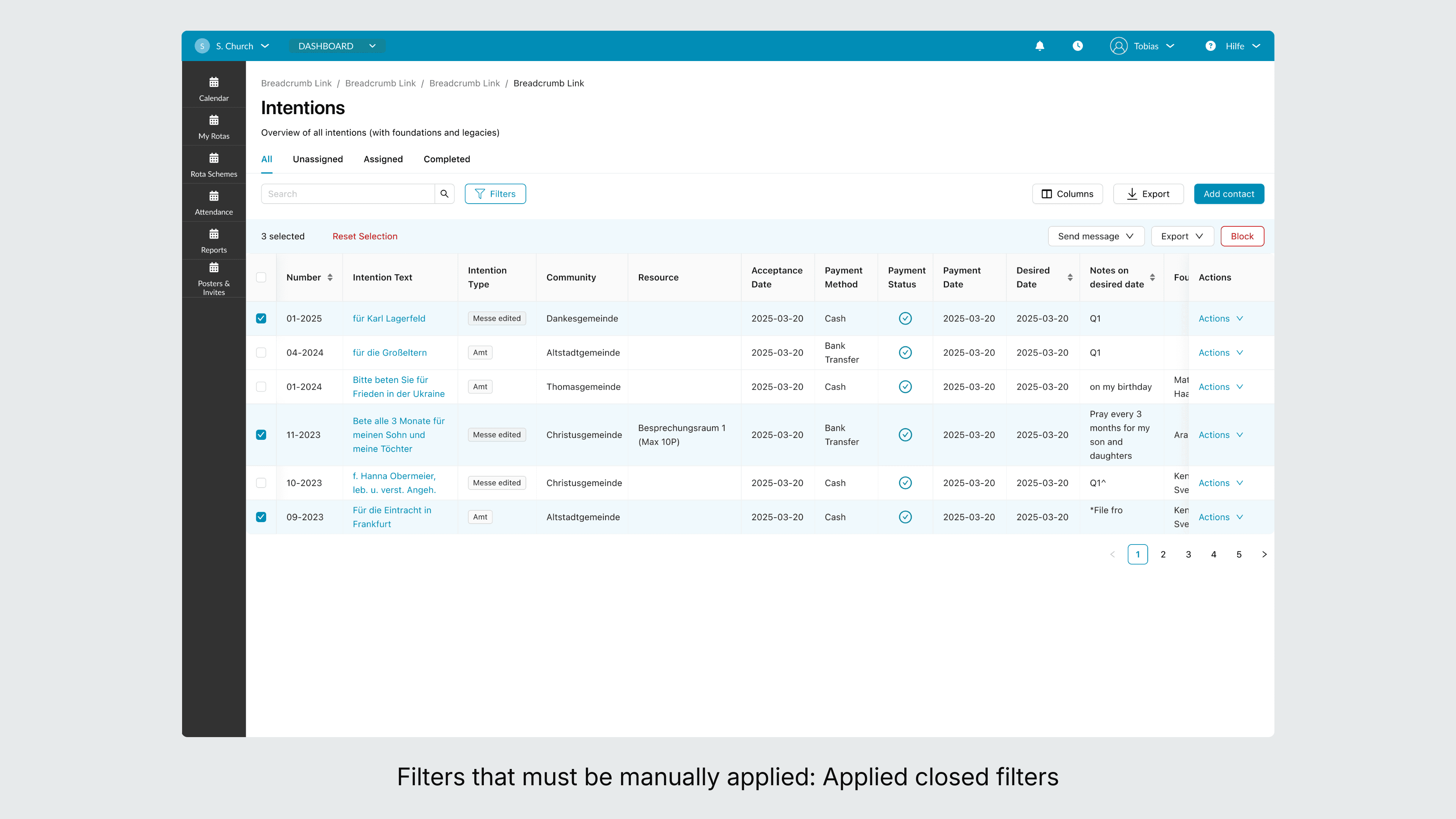
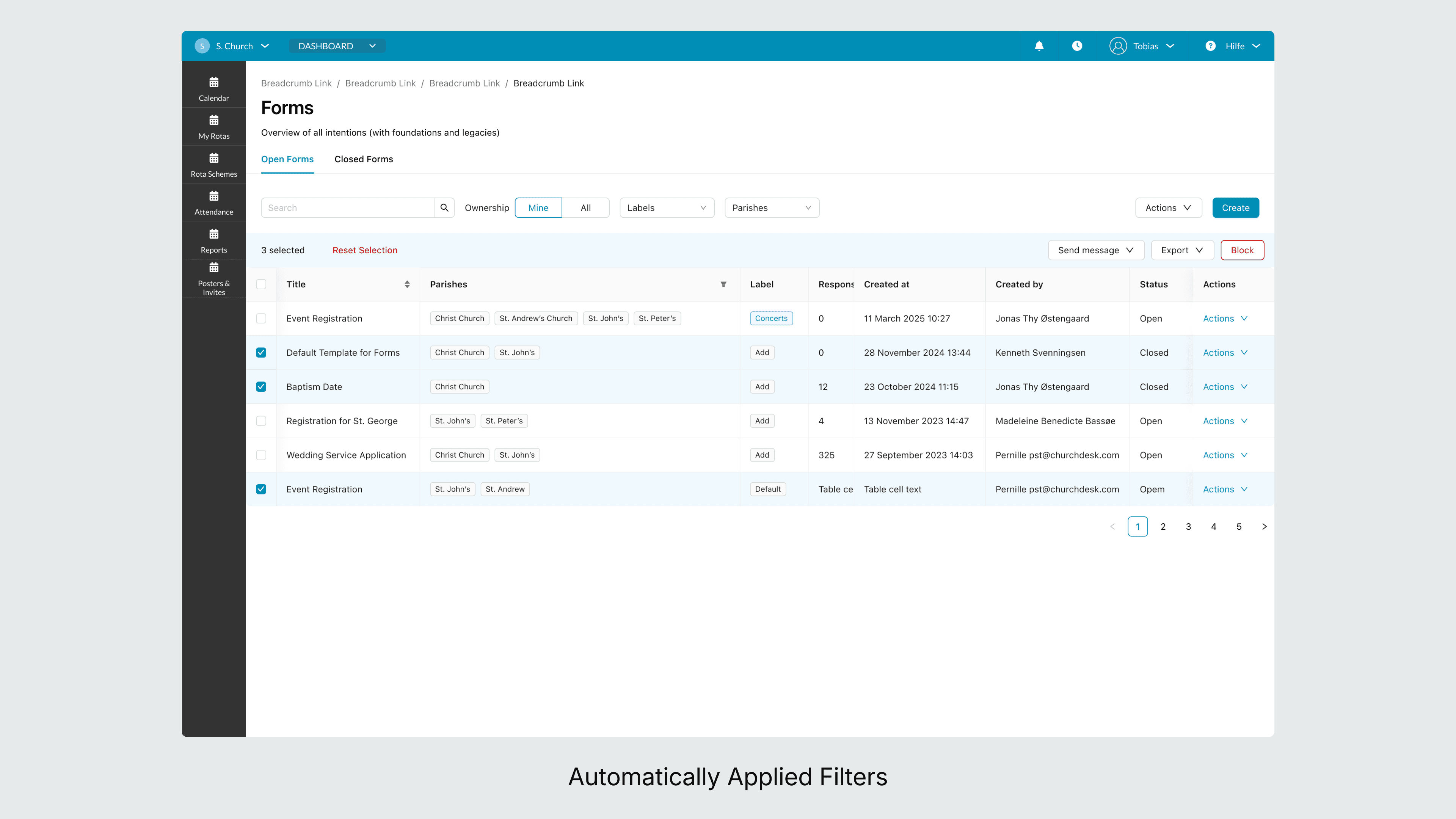
Filter Behavior
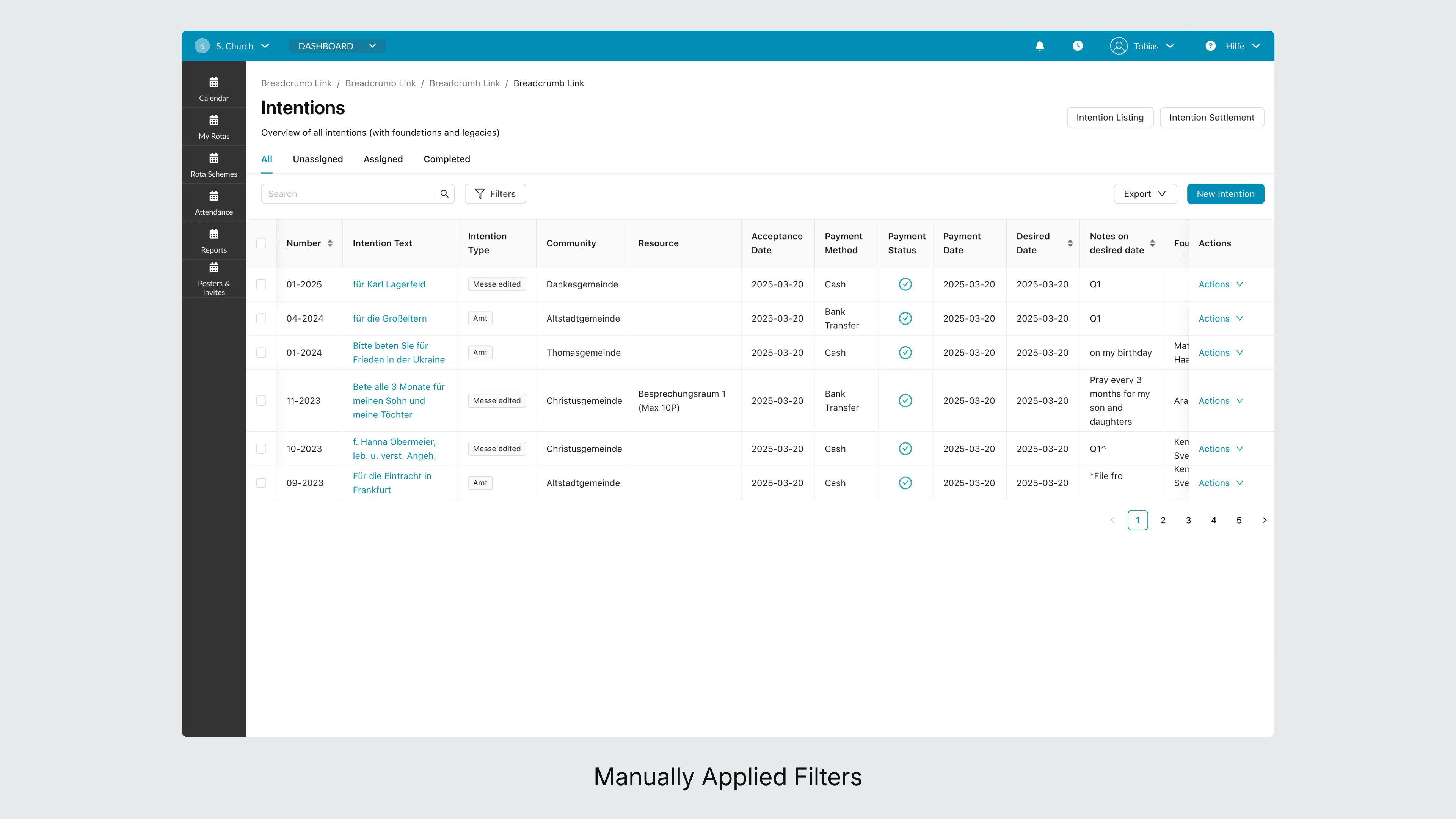
Two types of filters can be found in the product, either those that are automatically applied, and those that must be manually applied. No page can have both (as was previously done). The location and layout of the filters were also standardized.
Standardized page layout
Any page that consists of a data table must adhere to the annotated principles and layout of a data table within the product.
Tabs
Previously, multiple types of tabs were used, with multiple sizes, in various location. The character limit, size, and location and usage of the tabs has been redefined.
Scalability
We created a flexible design system that supports a variety of use cases and edge cases, making it easier to roll out consistent updates platform-wide.
Reduced Technical Debt
We created modular, reusable components which cut down on duplicated work, speeding up development and enabling teams to focus on new features. Creating a shared system simplified maintenance and made future updates less error-prone, lowering long-term costs.